
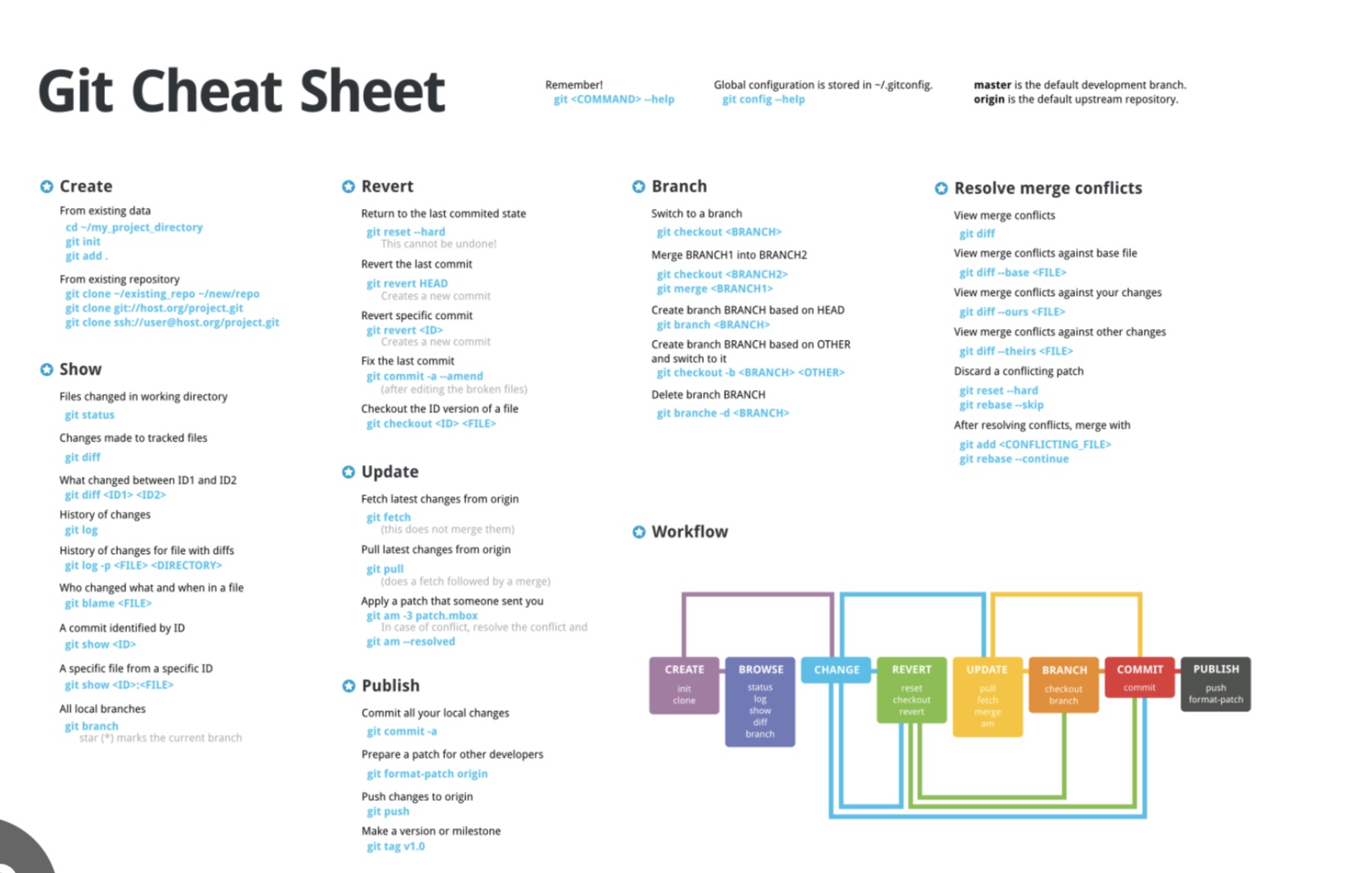
Here’s a concise GitHub cheat sheet covering essential commands and features for repositories, branches, commits, pull requests, and more:
Basic Git Commands
Cloning a Repository
git clone <repository_url>Checking Repository Status
git statusAdding Changes to Staging Area
git add <file>       # Add specific file
git add .            # Add all files
Committing Changes
git commit -m "Your commit message"Pushing Changes
git push origin <branch_name>Pulling Changes
git pull origin <branch_name>Branch Management
Listing Branches
git branch           # List local branches
git branch -r        # List remote branches
Creating a New Branch
git branch <branch_name>Switching Branches
git checkout <branch_name>
git switch <branch_name> # Alternative to checkout
Creating and Switching to a New Branch
git checkout -b <branch_name>
git switch -c <branch_name>
Deleting a Branch
git branch -d <branch_name>       # Delete locally
git push origin --delete <branch> # Delete remotely
Merging and Rebasing
Merging Branches
git merge <branch_name>Rebasing a Branch
git rebase <branch_name>Resolving Conflicts
During a Merge or Rebase
Open conflicted files, resolve issues manually.
Add resolved files:
git add <file>Continue the process:
git merge --continue   # For merges
git rebase --continue  # For rebases
Undoing Changes
Unstage Files
git reset <file>
git reset . # Unstage all files
Discard Changes in Working Directory
git checkout -- <file>Revert a Commit
git revert <commit_hash>Reset to a Previous Commit
git reset --hard <commit_hash> # Completely reset
git reset --soft <commit_hash> # Keep changes staged
Working with Remote Repositories
Adding a Remote
git remote add origin <repository_url>Listing Remotes
git remote -vFetching Changes
git fetch originStashing Changes
Save Uncommitted Changes
git stashView Stash List
git stash listApply Stash
git stash applyDrop Stash
git stash dropChecking History
Show Commit Log
git log
git log --oneline --graph --all # Compact graph view
Show Changes in Commits
git show <commit_hash>Creating a Pull Request
Push your branch to the remote repository:
git push origin <branch_name>Open GitHub, navigate to the repository.
Click "Compare & pull request", fill out details, and submit.
Tagging
Creating a Tag
git tag <tag_name>Pushing Tags
git push origin <tag_name>
git push origin --tags  # Push all tags
GitHub Shortcuts
w: Switch between files changed in a pull request.t: Search files in a repository.y: Get a permalink for a file..: Open the repository in the web-based editor.
Git Ignore
Create a .gitignore file to exclude files from version control:
node_modules/
*.log
.env
Common Aliases
Add aliases to simplify commands:
git config --global alias.st status
git config --global alias.co checkout
git config --global alias.br branch
git config --global alias.ci commit
This cheat sheet covers essential GitHub and Git commands to boost your productivity! Let me know if you'd like to dive deeper into any specific topic.